
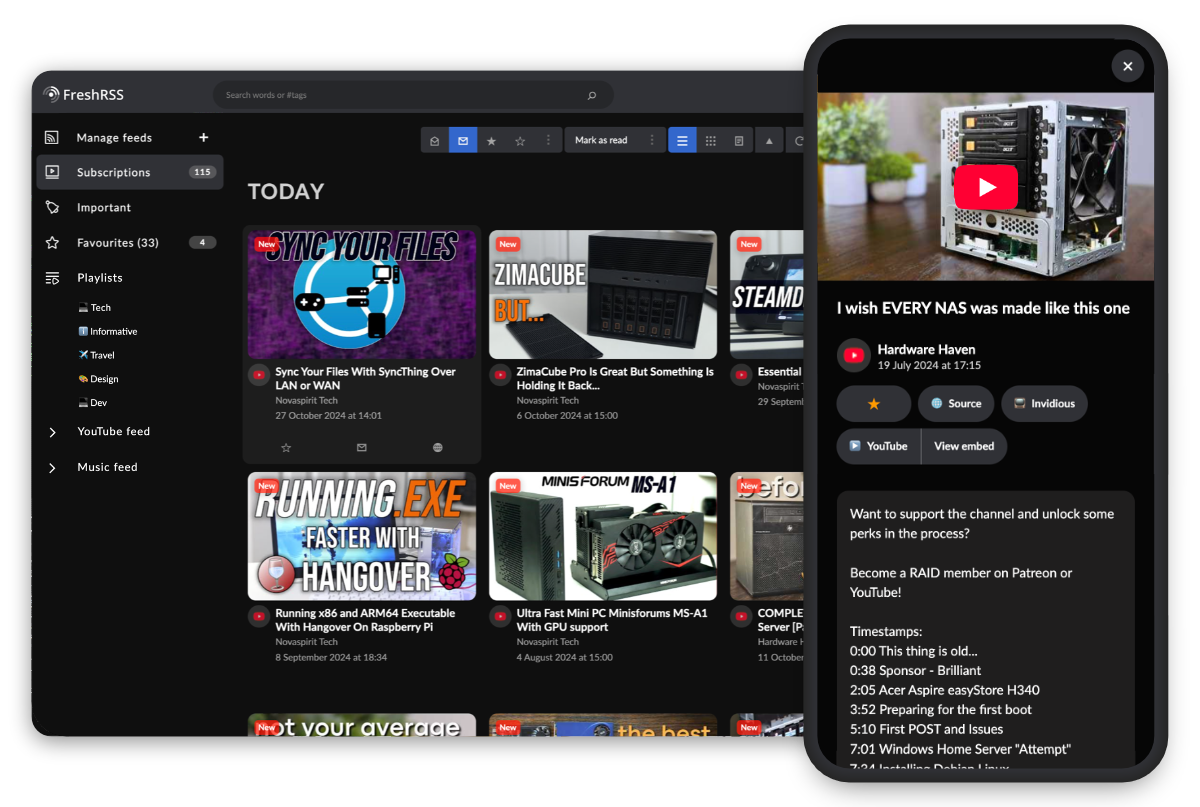
Youlag delivers a video-focused browsing experience for your YouTube RSS feeds in FreshRSS, with a sleek theme and extra features.
While it also supports regular feeds, this setup is tailored specifically for video content. Feel free and set up a separate instance for your video feeds if needed.
- ⭐ Optimized for Video Viewing
- Browse your YouTube, Invidious, Piped RSS subscriptions with ease.
- Clean, familiar video platform layout.
- Fullscreen viewing for videos and articles.
- Quickly exit videos with
Esckey. - Shortcuts for external viewing: "Invidious", "YouTube", or "YouTube embed view" (for less distraction).
- Dark mode.
- 🖥️ Desktop & Mobile
- Reponsive design.
- Redesigned menus for better one-handed navigation.
- Improved readability and legibility across devices.
- 📺 Features Offered by FreshRSS:
- Subscribe to YouTube creators without an account.
- Minimize video, for background playback while browsing.
- Local video queue, but without autoplay due to CORS limitation.
- Clickable links in video descriptions.
- Convert to an actual FreshRSS extension, with options for customizing the view and features.
- Ability to specify which category to apply the video grid on, with the intention to only affect video feeds.
-
Download the latest release here.
-
In FreshRSS, go to
Settings > Configuration > Displayand use these settings:- Theme: "Mapco — By: Thomas Guesnon".
- Website: "Icon and name". (Optional)
- Thumbnail: "Landscape".
- Article icons > Top line: "[X] Summary". (Other "Top line" options are optional)
-
Go to
Settings > Extensionsand click the gear (⚙️) icon for each extension:- User JS: Copy the content from
script.jspaste it into the text field, and click "Submit". - User CSS: Copy the content from
theme.css, paste it into the text field, and click "Submit". - Enable the extensions.
- User JS: Copy the content from
Note
User JS and User CSS extensions now come with FreshRSS by default.
If missing, get them from the official extensions repository.
- "Invidious Video Feed" FreshRSS extension by Korbak.
- If you prefer to use Invidious instead.
- Fork and make changes to the
devbranch. - Install dependencies:
npm i. - Make styling changes to the SASS file at
src/theme.scssopposed to the compiledtheme.cssfile.- Run
npm run watch-cssto compilesrc/theme.scsstotheme.css. - Learn more about SASS here.
- Run
- For structural and functional changes to the Youlag video modal, edit
script.jsin plain JavaScript.
- Icons used/remixed: SVG Repo, krystonschwarze, phosphor, Solar Icons, Dazzle UI, n3r4zzurr0/svg-spinners.
- Tools: SVGOptimizer, b64.io.
- Featured channels on top image: Novaspirit Tech, Hardware Haven.
- Edit 2025-02-05: Rest in peace Don (Novaspirit Tech), thank you for your contribution to the community.
GNU General Public License v3.0